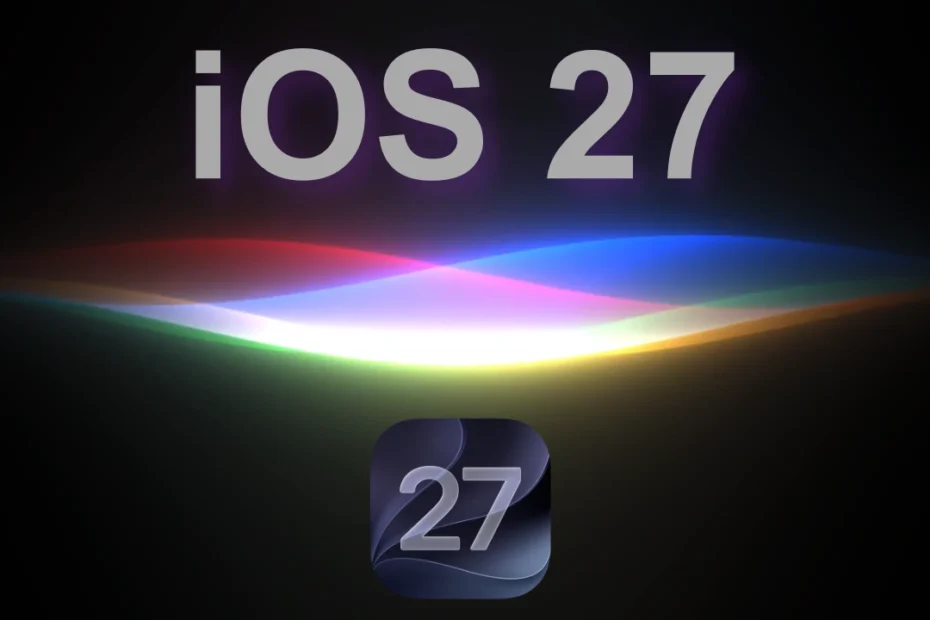
Apple has released iOS 27 Beta 7 to developers, and unlike some of the earlier beta updates, this release is all about polishing the experience ahead of the final launch. The update weighs around 1.34GB and focuses primarily on performance improvements, smoother animations, and fixes for several annoying bugs.
After testing Beta 7, the changes feel more like refinements than major additions. Spotlight is faster, system animations feel smoother, and several issues affecting the keyboard, screenshots, Mail, wallpapers, and CarPlay have been addressed.
Here’s everything new and changed in iOS 27 Beta 7, based on the latest testing.
Faster Spotlight Search
One of the more noticeable improvements in Beta 7 is Spotlight Search. The pull-down animation now feels faster and more fluid, while the keyboard also appears more quickly during the transition.
The improvement makes Spotlight feel more responsive, especially when quickly pulling down from the Home Screen to search for an app, contact, file, or other information.
Smoother System Animations
Apple has also continued to refine system animations throughout iOS 27.
Animations for unlocking the iPhone, swiping back to the Home Screen, and scrolling with ProMotion feel smoother in Beta 7. These aren’t major visual changes, but they make the overall interface feel more polished and responsive.
This is exactly the kind of refinement you’d expect from a late-stage beta.
Siri Gets a Small Visual Tweak
The new Siri AI interface has received a subtle visual adjustment.
Compared with Beta 6, the Siri animation in Beta 7 appears to have slightly more color and saturation, giving it a more noticeable appearance while retaining the overall design introduced in earlier iOS 27 betas.
Siri Optimization Is Much Faster
Beta 7 also improves the “Optimizing Search and Siri” process found in Settings.
In Beta 6, the message could take around 10 to 15 minutes to appear. In Beta 7, the prompt now appears almost immediately, making the process feel much more responsive.
Screenshot Paste Issue Fixed
One of the more useful bug fixes involves screenshots.
Previously, after copying and deleting a screenshot, the “Paste from [App]” option could take several seconds to appear when tapping into a text field. In some cases, it wouldn’t appear at all.
Beta 7 appears to have fixed the issue, with the Paste option now showing up almost instantly.
Wallpaper Saturation Bug Fixed
Apple has also addressed an issue affecting Home Screen wallpapers.
In previous builds, wallpapers could suddenly appear too bright or overly saturated when swiping back to the Home Screen. In Beta 7, the wallpaper now properly dims and desaturates during the animation.
Mail Search Gets a Fix
According to Apple’s release notes, Beta 7 fixes an issue where emails older than six months couldn’t be searched by their body content.
This should make Mail search more reliable for users looking through older messages.
Keyboard Reliability Improved
The iOS keyboard also appears to be more reliable in Beta 7.
In earlier builds, the keyboard could sometimes take a moment to appear, leaving a blank area before loading. Beta 7 appears to resolve this behavior, with the keyboard opening more consistently across apps such as Notes.
CarPlay Stability Improved
Beta 7 also brings improvements to Apple CarPlay stability.
Testing suggests that general connection drops have been reduced, making CarPlay connections more reliable. Some Siri dictation-related issues may still remain, however.
New Games App Splash Screen
There’s also a small change when opening Apple’s Games app.
Beta 7 displays a new splash screen mentioning recently downloaded achievements and score updates. One testing video also showed a minor visual issue where the “Library Filters” text appeared to overlap with the splash screen.
It’s a small change, but another indication that Apple is continuing to polish the Games experience.
Bold Battery Icon Confirmed
The bold battery percentage icon isn’t technically new to Beta 7. Apple introduced it in Beta 6, but Beta 7 further confirms that the behavior is intentional.
When Bold Text is enabled under Accessibility settings, the battery percentage can now appear in a bold style.
No New Modem Update
For those wondering about modem changes, iOS 27 Beta 7 does not include a new modem update.
A known issue also remains in the latest beta: Wi-Fi connectivity bars can still appear inverted in Control Center.
iOS 27 Beta 7 Is All About Refinement
Overall, iOS 27 Beta 7 is a relatively small but important update. Apple isn’t introducing major new features at this stage. Instead, the company is concentrating on making iOS 27 faster, smoother, and more reliable before its public release.
The faster Spotlight experience, smoother animations, improved keyboard behavior, screenshot Paste fix, better Mail search, and more stable CarPlay connection are all welcome changes.
With iOS 27 now in the late stages of development, Beta 7 suggests that Apple is entering the final polishing phase ahead of the stable release.
iOS 27 Beta 7: Key Changes at a Glance
- Faster Spotlight animations and keyboard response
- Smoother system animations
- Slightly more colorful Siri AI animation
- Faster Siri optimization prompt
- Screenshot Paste delay fixed
- Wallpaper saturation issue improved
- Older Mail messages can now be searched properly
- More reliable keyboard loading
- Improved CarPlay stability
- New Games app splash screen
- Bold battery icon behavior confirmed
- No new modem update
- Wi-Fi Control Center bar issue remains